Clients → pins
Organise clients, sites, buildings, floors, drawings and pins, with soft-delete and a recycle bin so nothing is lost by accident.
From the first drawing upload to the final signed-off report, Helix FMS covers the whole fire-safety surveying workflow across web and Android.
Plant rooms, basements and stairwells don’t have reception — so the survey can’t depend on it. Surveyors sync once to download their drawings and reference data, then everything happens against the device: viewing plans, dropping pins, filling forms and taking photos.
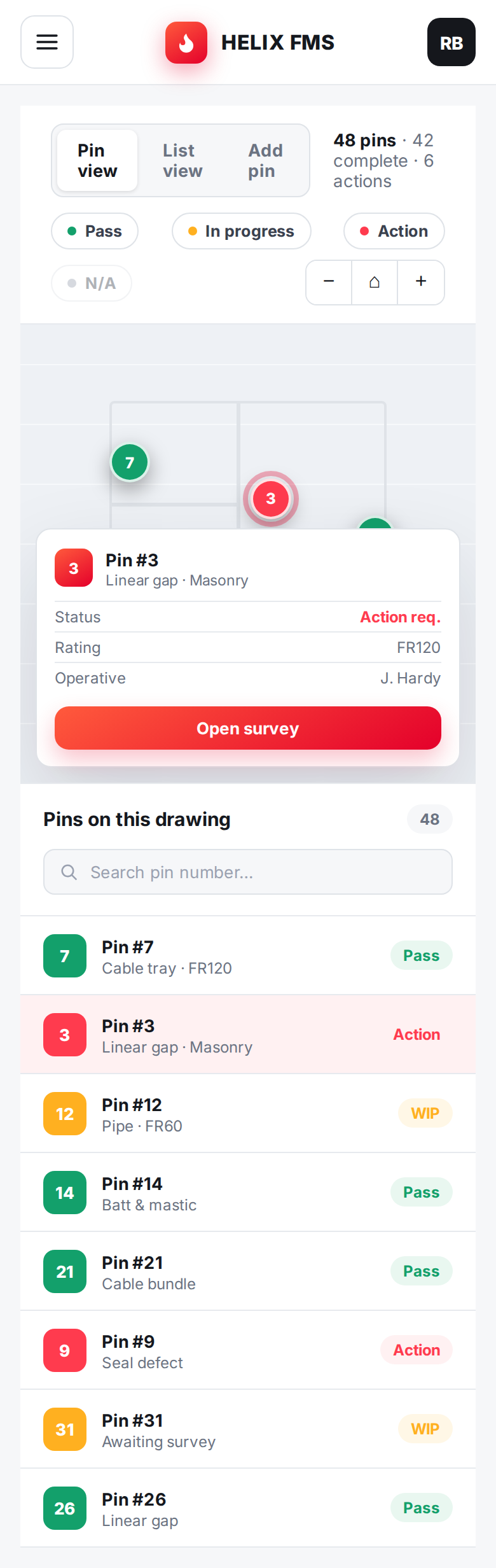
Each survey type has its own purpose-built form so surveyors capture exactly what’s needed — and nothing they don’t.
Status, substrate & orientation, aperture, fire rating, item / support / installation type, manufacturer, proximity and dimensions — with photos.
Doorset type & material, leaf, gaps, seals, frame, hinges, locks, closers and glazing condition, risk rating, remedials and signage — with labelled photo sets.
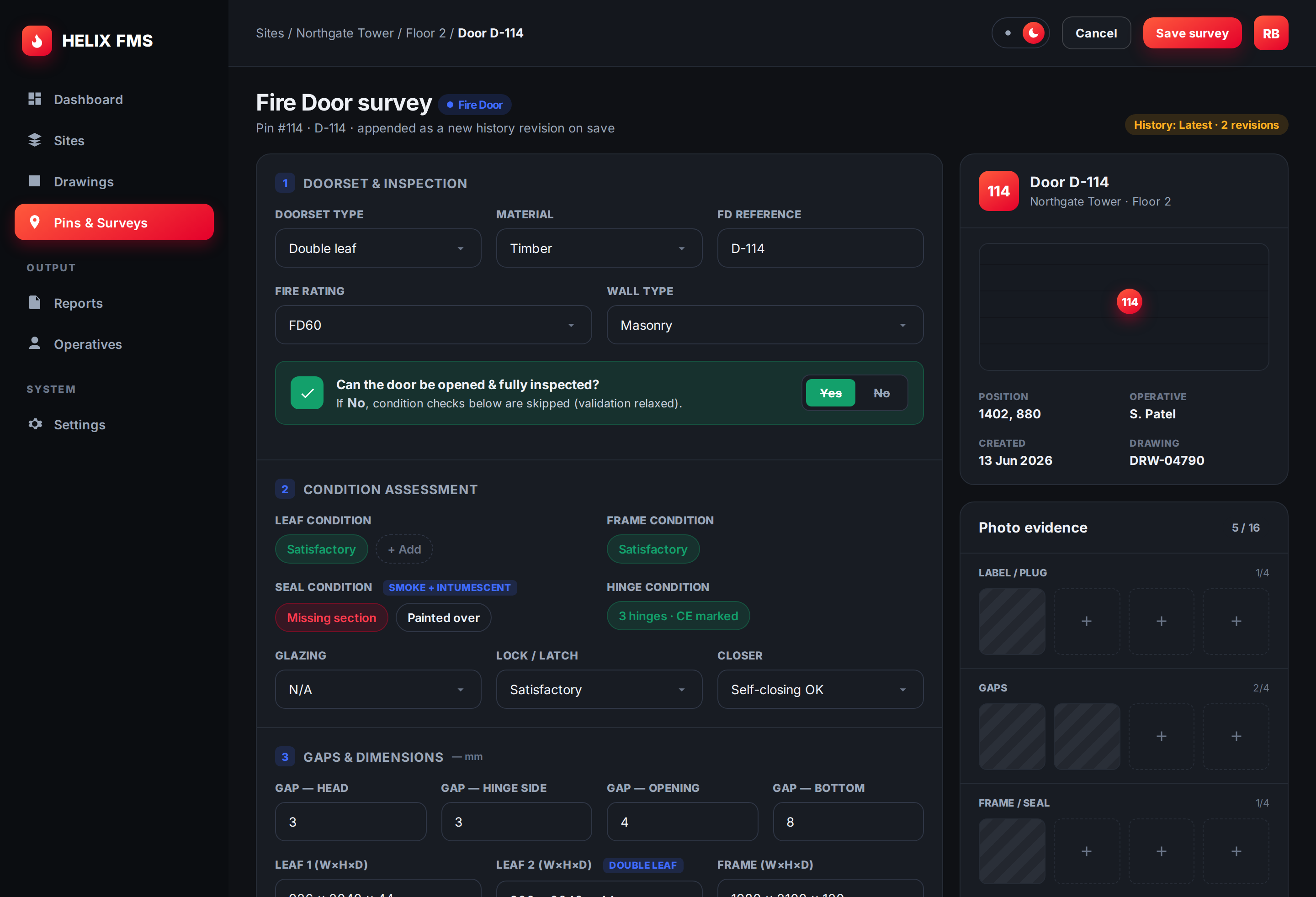
Organise clients, sites, buildings, floors, drawings and pins, with soft-delete and a recycle bin so nothing is lost by accident.
Every survey save is appended as a new revision — see exactly how a pin’s condition has changed over time.
Generate reports with a drawing map, numbered status pins, embedded photos and filtered pin tables — filtered by surveyor, status or date.
Assign surveyors to specific drawings; site, building and floor visibility follows automatically.
Hardened login with throttling, optional two-factor authentication, CSRF protection and audit logging throughout.
Capture multiple photos per survey point, automatically optimised and tied to the right pin and revision.
We’ll walk you through a live survey, sync and report end to end.